
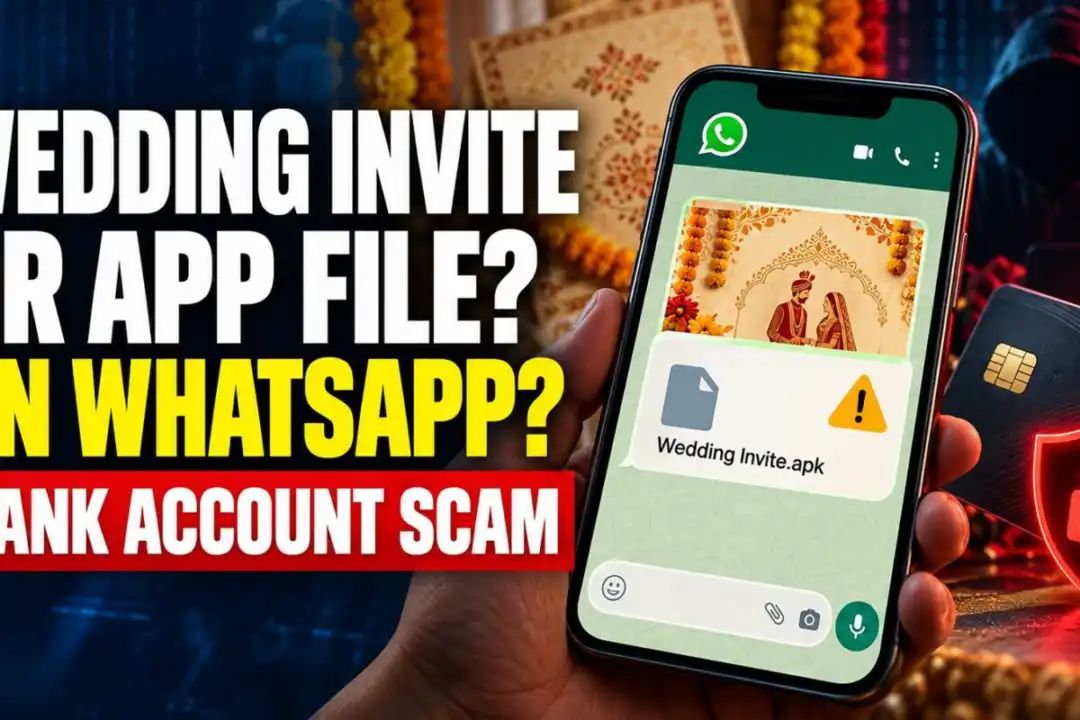
With the wedding and festive season underway, digital invitations are increasingly being shared on WhatsApp.

Cybercriminals are exploiting this trend by sending malicious app files disguised as wedding invitations.
Several people in Gujarat have reportedly lost lakhs of rupees after opening such files.
Latest case
A 50-year-old wholesale grain trader from Kalol near Ahmedabad allegedly lost Rs 6.18 lakh after his phone was compromised through a file received on WhatsApp.
The file was named “Invitation Card, GB Instagram APK File.” After downloading and opening it, money was withdrawn from his bank account in two transactions. The second debit of Rs 3.42 lakh was made the following day.
Not an isolated incident
In September, a 44-year-old electrician from Ahmedabad’s Nikol area allegedly lost Rs 1.51 lakh after opening a wedding invitation sent from a friend’s WhatsApp number. The file was an APK rather than an image or PDF.
In another case, a 74-year-old Ahmedabad resident reportedly lost Rs 15.5 lakh after opening a similar file. The money was allegedly transferred through multiple UPI transactions.
What is an APK file and why is it dangerous?
APK stands for Android Package Kit and is used to install apps on Android phones.Unlike an image or PDF, an APK file can install an application on your device.
Cybercriminals use malicious APK files to gain access to phones. Such apps may be able to read OTPs, monitor activity and facilitate unauthorised transactions.
Some malware can also automatically send the same fake invitation file to people in the victim’s contact list. This makes the scam appear more trustworthy because the message may seem to have come from a friend or relative.
How to identify a fake wedding invitation
Check the file type: Genuine invitations are generally shared as images, PDFs or videos. A file ending in .apk is an app installation file, not an invitation.
Be careful with unexpected files: Do not open a suspicious file even if it comes from someone you know.
Verify with the sender: Call or message the person separately to confirm before opening the file.
Avoid modded apps: Files offering unofficial versions such as “GB Instagram” or “GB WhatsApp” can be risky.
How to protect your phone
Download apps only from the Google Play Store.
Keep the option to install apps from unknown sources switched off.
Keep Google Play Protect enabled.
Disable automatic media downloads in WhatsApp settings.
Already opened a suspicious APK? Act immediately
Switch off mobile data and Wi-Fi.
Contact your bank immediately and ask them to block your account, cards and UPI services if necessary.
Report the fraud by calling 1930 or through cybercrime.gov.in.
Uninstall the suspicious app and get your phone checked.
A factory reset may be required in some cases.
Using another device, change your banking, email and other important passwords.