
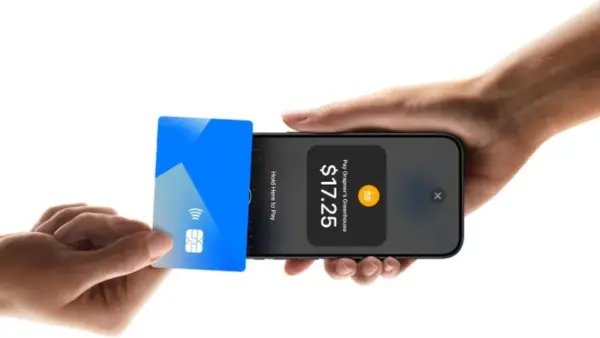
Apple Pay is now available in India, allowing compatible iPhone and Apple Watch users to make contactless payments without carrying their physical credit cards.

Apple introduced the service in India on Wednesday, with Axis Bank becoming its first banking partner. The launch comes nearly 12 years after Apple Pay was first introduced in the US in September 2014. With India now included, the service is available across more than 90 countries and regions.However, the service has launched with limited card support. At present, only eligible Visa and Mastercard credit cards issued by Axis Bank can be added to Apple Pay. Apple is expected to expand support to more banks and card issuers in the future.
What can you do with Apple Pay?
Apple Pay essentially turns a compatible Apple device into a digital wallet. Instead of handing over a physical credit card, users can authenticate a transaction on their device and hold it near a compatible payment terminal.The service uses Near Field Communication (NFC) technology for contactless payments, meaning the merchant’s point-of-sale (PoS) terminal must support NFC. Apple Pay can also be used for eligible purchases within supported apps and on participating websites.
In India, the service is compatible with the iPhone XR and newer models running iOS 18 or later. Apple Watch Series 6 and later models running watchOS 11 or newer are also supported. Support for Mac is expected to be introduced later.Transactions are authenticated through Face ID, Touch ID or the device passcode, depending on the Apple device being used.
How to add an Axis Bank credit card to Apple Pay
Before setting up Apple Pay, users should ensure they have a compatible device and an eligible Axis Bank Visa or Mastercard credit card.
Follow these steps:
1. Open the Apple Wallet app on your unlocked iPhone.
2. Tap the ‘+’ button at the top of the screen.
3. Select Debit or Credit Card.
4. Add the eligible Axis Bank card by holding the iPhone over the card to capture its details.
5. Alternatively, select Enter Card Details Manually.
6. Enter the required information, including your name, card number, expiry date and security code.
7. Tap Continue and follow the remaining instructions.
8. Complete the card verification process.Once approved, the card will be added to Apple Wallet.
How to make a payment using Apple Pay
At a participating store, authenticate the transaction using Face ID, Touch ID or your device passcode and hold the iPhone or Apple Watch near an NFC-enabled PoS terminal. The payment can then be completed without physically handing over the credit card.For now, Apple Pay’s India rollout remains limited to eligible Axis Bank Visa and Mastercard credit cards. Customers using cards issued by other banks will have to wait for Apple to expand support to additional issuers.